Written by a journalistPrinted on real newsprintDelivered across the UK
The Wedding Newspaper

Wedding newspaper template

A wedding newspaper template, laid out by a journalist

Eight tabloid pages, ready to edit in Canva, PowerPoint or Google Slides. Every page comes with example stories to replace and notes on what to write. Start with the front page for free.

The free file is a .pptx with no sign-up. In Canva, choose Create a design, then Import file.

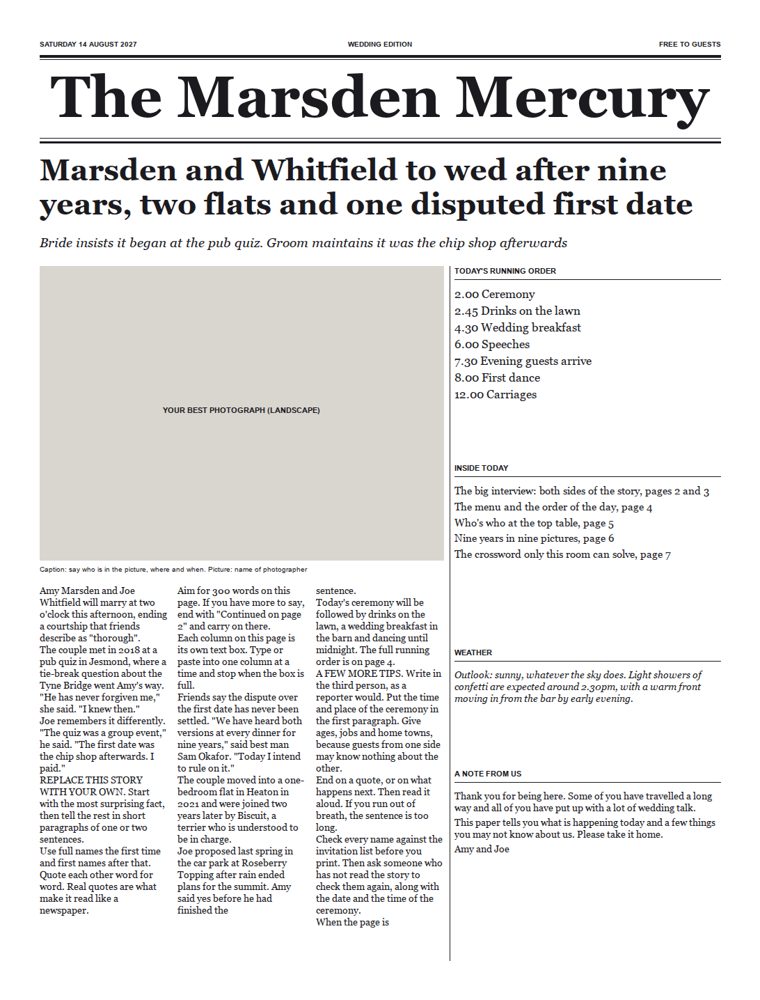
Front page of the wedding newspaper template, with a masthead, headline, photograph space, story columns and a running order panel

What is in it

Eight pages that work as a real paper

The pages are set to tabloid size, 289mm by 380mm, with the 15mm margins newspaper printers need. Send the finished PDF straight to print.
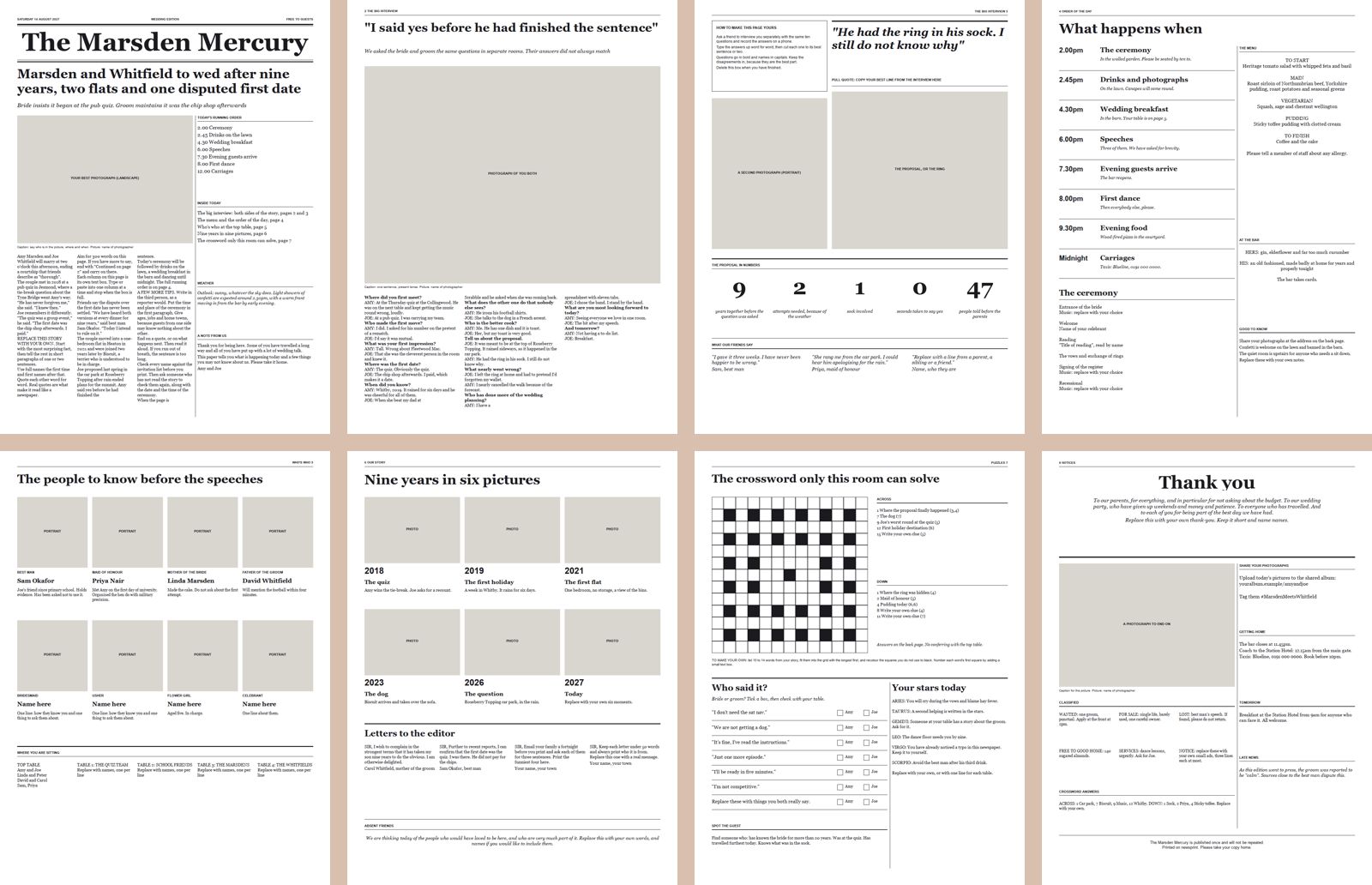
All eight pages of the wedding newspaper template shown side by side
  • Page 1: front pageMasthead, lead story, running order, weather and a note from you both.
  • Pages 2 and 3: the interviewBride and groom answer the same questions, with a pull quote and the proposal in numbers.
  • Page 4: order of the dayTimings, the ceremony, the menu and the bar.
  • Page 5: who's whoEight portraits with captions, and the table plan.
  • Page 6: your storyA six-picture timeline, letters to the editor and absent friends.
  • Page 7: puzzlesA crossword grid, who said it, horoscopes and spot the guest.
  • Page 8: back pageThank-yous, small ads, photograph sharing and how to get home.

The full pack

All eight pages and the writing guide for £29

The price includes VAT. You get the files to download as soon as you pay.

  • The 8-page templateOne .pptx file that opens in Canva, PowerPoint, Google Slides and Keynote.
  • The writing guideA PDF covering the interview, with 20 questions, how to write the front-page story, headline patterns, captions and a proofreading checklist.
  • Print instructionsHow to export the PDF, which paper and size to order and how many copies you need.
  • A preview PDFEvery page as designed, to refer back to while you edit.

TO DO: set PACK_LINK in build.py to the checkout link for the template pack

For your own wedding or event. Print as many copies as you like. Printing is not included: see printing sizes, paper and prices.

How to use the template in Canva

  1. Download the .pptx file.
  2. In Canva, choose Create a design, then Import file, and pick the file.
  3. Click any headline or story and type over it.
  4. Drag your photographs over the grey boxes and resize them to cover the grey.
  5. Choose Share, Download, PDF Print, and send the PDF to a newspaper printer.

Template or written for you?

The template gives you the design. The writing is still yours to do, and it is the part most couples find hard. If you would like the whole paper written from an interview, designed, printed and delivered, that is my main service. See how it works and the prices, which start at £555 including printing.

Guides to help you fill it